Data types represent the kind of data stored in a value. Values can come in many different formats or units. Your data may include numbers with decimals, true or false values, or categories with names. It is important to know what type of data you have, how to identify a data type in R, and how to modify a data type if needed. Various functions in R require using certain data types, which makes this a core skill for managing your data.
Let’s Get Started!
Let’s first start by creating a new R script. Remember, to create a new R script:
Select File > New File > R Script
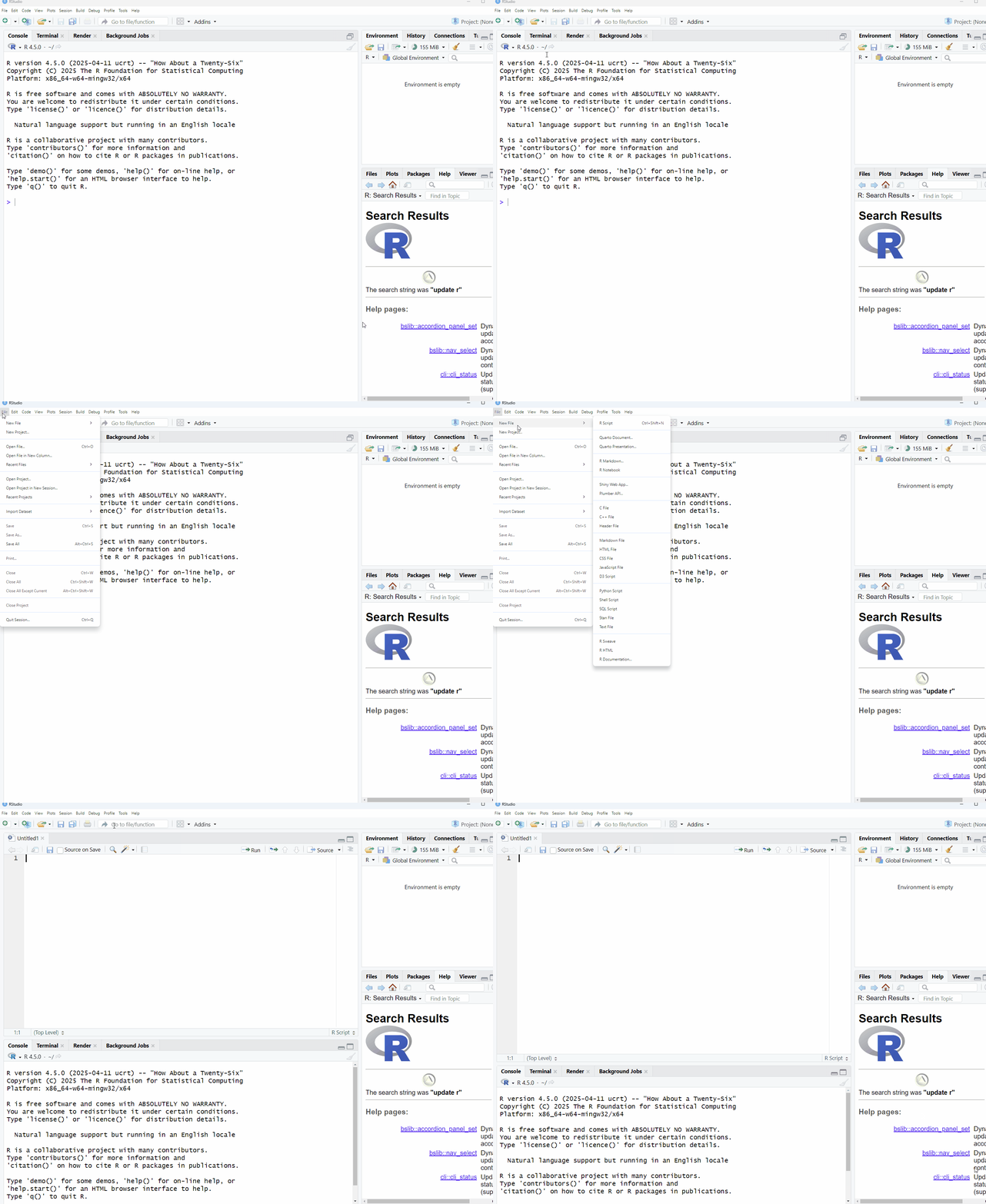
Now that we have our script, let’s begin by creating some new objects in R:
age <- 28
name <- “Louis”
is_student <- TRUE
In these simple examples, the data type is clear, but data type identification is not always this easy. You can use the class() function in R to check the data type. Remember, functions are “verbs” in R, providing actions to be performed. The typical syntax of an R function looks like this:
function(object)
You will often see functions in R accompanied by a set of parentheses (or brackets). This is because the parentheses () tell R to run a function, and you must put any inputs the function needs inside them. Here is a simple guide:
class - the function itself
class() - run the function
class(x) - run the function with the information inside the parentheses
If you want R to run a function, you must use ().
With this structure, see if you can use the class() function to get the data type of each of these objects.
class(age)
class(name)
class(is_student)
In addition to these three data types, there are two other types: factor and date/time. These are more complicated than numeric, character, and logical data types, but they are very common in datasets. Let’s start by creating two new R objects:
favourite_colour <- “Blue”
birthday <- 1999-04-05
Now, use the class() function on these new objects to see the result.
You’ll see that favourite_colour is character, and birthday is numeric. This is because, by default, R classifies characters and numbers as character and numerical data, respectively.
In order for R to recognize these objects as factor and date data types, you will need to use two new functions when assigning values to these objects.
favourite_colour <- as.factor(“Blue”)
birthday <- as.Date(“1999-04-05”)
Capitalization matters! The as.factor and as.Date functions must be written exactly as shown, otherwise they will result in an error. Try changing the first letters to upper or lowercase to see what happens.
In these examples, as.factor and as.Date are specifically telling R to handle the values as factor for favourite_colour and as date for birthday. We’ll cover these concepts more throughout the program, so don’t worry if this is still confusing. For now, all you need to know is that there are different data types in R, and that factor and dates can require a bit more work than others.
Another way to inspect objects in R is through the str() function, which stands for structure. This function provides a compact summary of the internal structure of an object.
Give it a try with the 5 objects we’ve created!
str(age)
str(name)
str(is_student)
str(favourite_colour)
str(birthday)
What is R telling you about each object?
Is there anything that is interesting/confusing?